
Skip to content

WonderSwitcher apps for iPhone, iPad and Mac

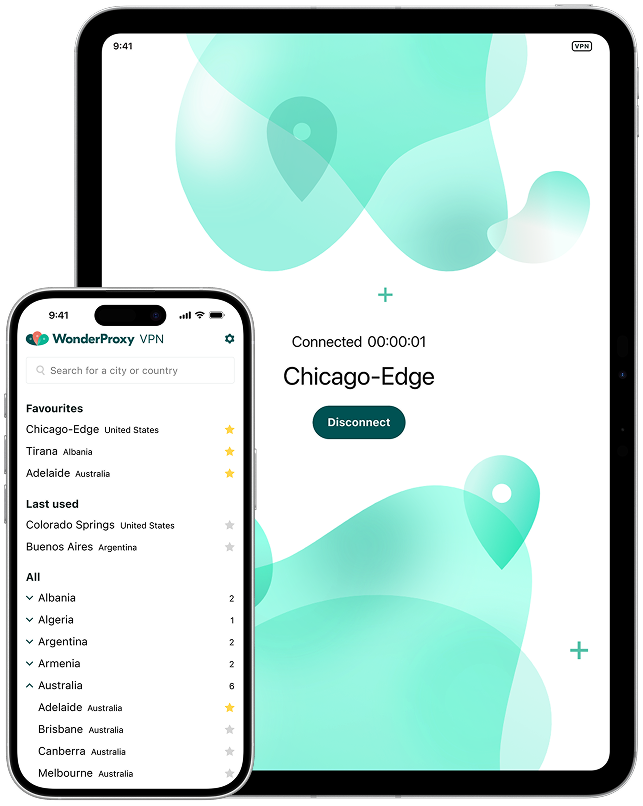
Import your servers. Switch locations instantly. See how your sites and apps behave when accessed from real infrastructure in 281 cities across 103 countries. Available for iPhone, iPad and macOS.

See your software the way your users do

  • Perform interactive localization testing of any website, browser or app
  • Import VPN servers directly from your WonderProxy account
  • Find and switch between servers easily
  • Mark your favourite servers for easy access
  • Available for iPhone, iPad and macOS from the Apple App Store.

Got questions?
Here are the answers.

WonderSwitcher VPN apps are available for iPhone, iPad or Mac from the Apple App Store. Remember to keep the app up to date for the latest performance updates and feature enhancements.

Desktop web browser users may prefer to use our WonderSwitcher Browser Extension for testing websites.

The WonderSwitcher apps require permissions to configure VPN profiles at the operating system level. While these prompts can look intimidating, this level of integration is necessary to properly route your internet traffic. We do not use the apps to collect your data - you can read more in our Privacy Policy.

Install the app for your device, and log in using the same credentials as you use for the WonderProxy website. Once you sign into the app, you will be prompted to import your account's servers (remember, servers need to have already been added to your WonderProxy account). You'll need to grant the app permission to add VPN configurations, and then you'll be able to switch servers on and off with a single step.

WonderProxy products and services are designed to be effective software testing and development tools. They're not intended to be used to protect personal information or for privacy and security purposes.