
Skip to content

WonderSwitcher for iOS

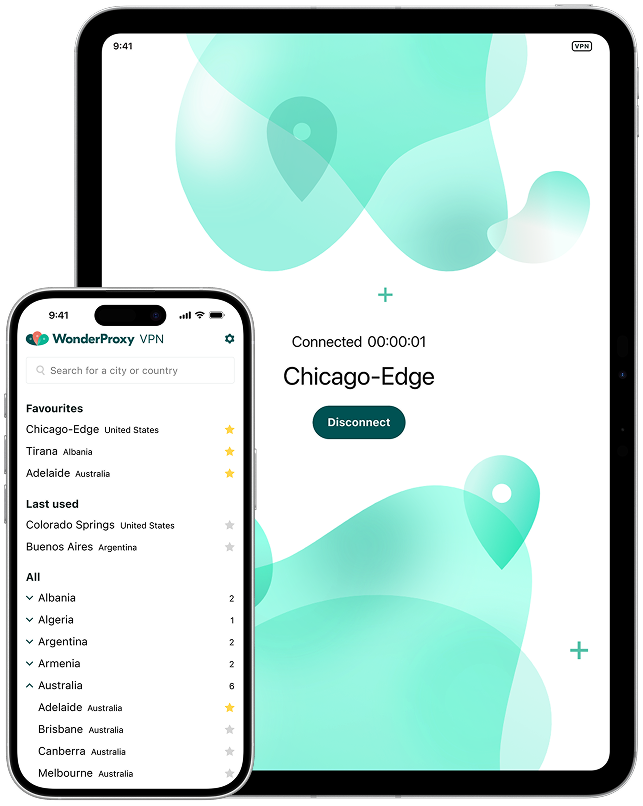
Import your servers. Switch locations instantly. See how your sites and apps behave when accessed from real infrastructure in 279 cities across 103 countries. Available for iPhone and iPad.

See your app the way your users do

  • Perform interactive localization testing of any website, browser or app
  • Import VPN servers directly from your WonderProxy account
  • Find and switch between servers easily
  • Mark your favourite servers for easy access
  • Available for iPhone and iPad from the Apple App Store.

Got questions?
Here's the answers.

WonderSwitcher for iOS is available for iPhone and iPad from the Apple App Store. Remember to keep the app up to date for the latest performance updates and feature enhancements.

WonderSwitcher requires permissions to configure VPN profiles at the operating system level. While these system alerts can occasionally look intimidating, this level of integration is necessary to properly route your internet traffic. We do not use the app to collect your data - you can read more in our Privacy Policy.

Install the app, and log in using the same credentials as you use for the WonderProxy website. Once you sign into the app, you will be prompted to tap to import your account's servers (remember, they need to have already been added to your WonderProxy account). You'll need to grant the app permission to add VPN configurations, and then you'll be able to switch servers on and off with a single tap.

WonderProxy services are engineered with software testing and development in mind. It is not intended to be used to protect personal information or for privacy and security.